OBJECTIVE

To understand how HTML and CSS is similar to InDesign when it comes to stylizing type. Students will also learn about using Google Web Fonts.


OVERVIEW

Create a HTML web page of text, stylized with CSS. Ideally, this page will be on your personal SVSU website. (Each student will have to test their web settings and see if they have the permissions needed to move files to the SVSU personal site. If not, they can turn the Main Site Root Folder in as a zipped file at the project due date).

Each student will choose which set of text they would like to work with, then make a new HTML web page, and then create the CSS file that will stylize that text.


FINAL WORK DUE

A single HTML web page of text, stylized with CSS. Ideally, on your personal SVSU website. If this is the first time you are using your personal SVSU website, then the page should be named “index.html”.


REQUIRED MATERIALS


Required 1: Site Root Folder

Download the Site Root Folder

Download this folder, unzip it, and place it in your ideal location. Then do not move the folder.


Required 2: Raw Text To Choose From

(Place in your HTML Page)

Text Option A:

Good Advice for People with Talent!

Text Option B:

Bioethics: Just Because We Can, Should We?


EXERCISE 2 RESOURCES

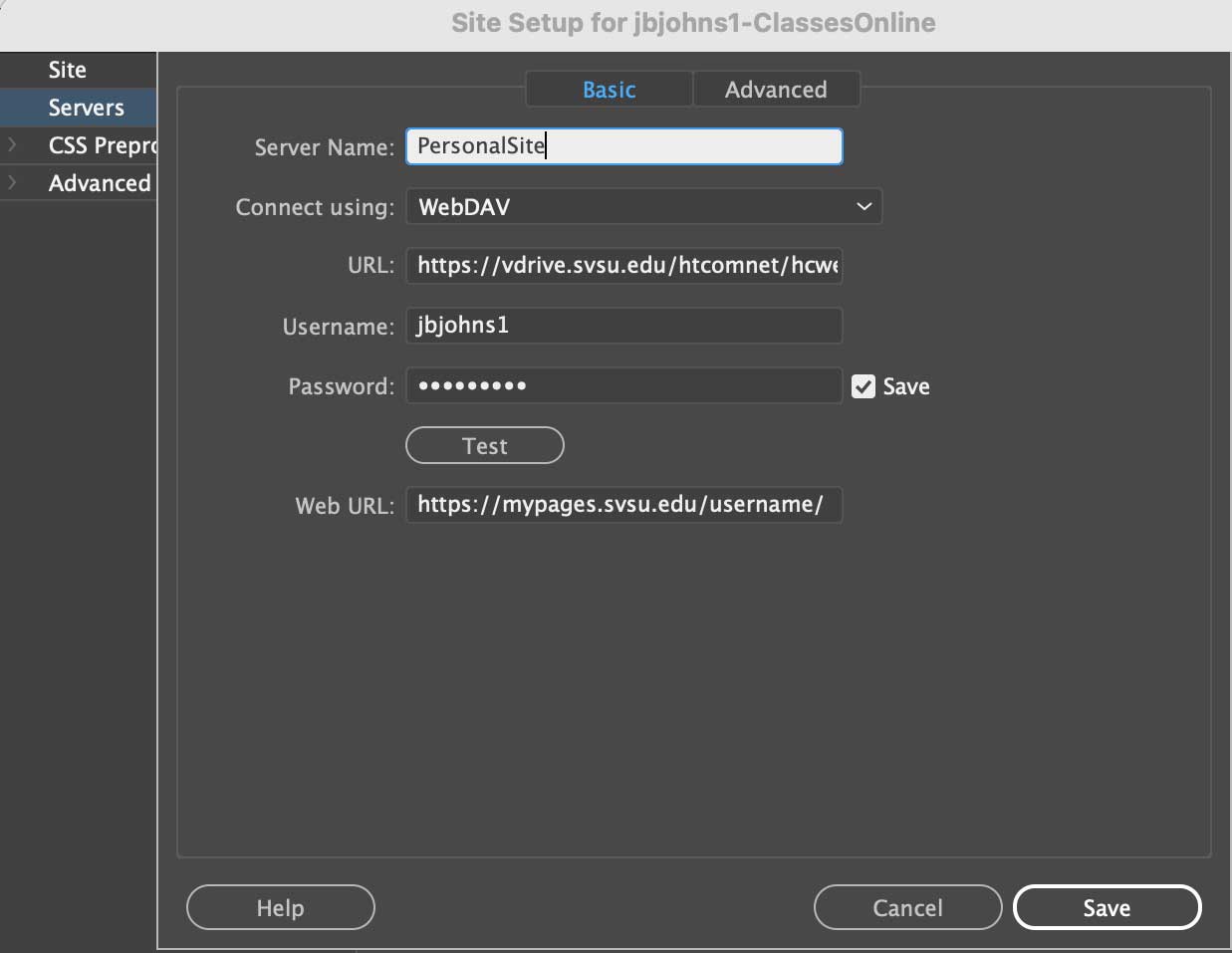
Example of Server Settings
 

Updated Dreamweaver Server Settings:

Server Name: SVSU

Connect using: WebDAV

URL: https://nextcloud.svsu.edu/remote.php/dav/files/your SVSU username/Home%20Folder/public_html/

Username: your SVSU username

Password: your SVSU password

Web URL: https://mypages.svsu.edu/your SVSU username/

Note: the old server used a tilde (~) before the username. This one does not.


Video 1 of Exercise 2…


Video 2 of Exercise 2…


Video 3 of Exercise 2…


OPTIONAL

Video 4 of Exercise 2…


EXERCISE 2 CONCEPT SHEET Optional

Download Concept Sheet


SAMPLES OF STUDENT WORK

Option 1 (Good Advice) Examples:


LINKS TO STUDENT TYPOGRAPHIC WEBSITES F23